agentsee
Operator control plane for Claude Code agents. Watch agents in real time, hold them mid-run, chat with them, and switch between autonomous and supervised modes.
Works standalone with any Claude Code project that uses subagents. Also the intended control plane for red-run.
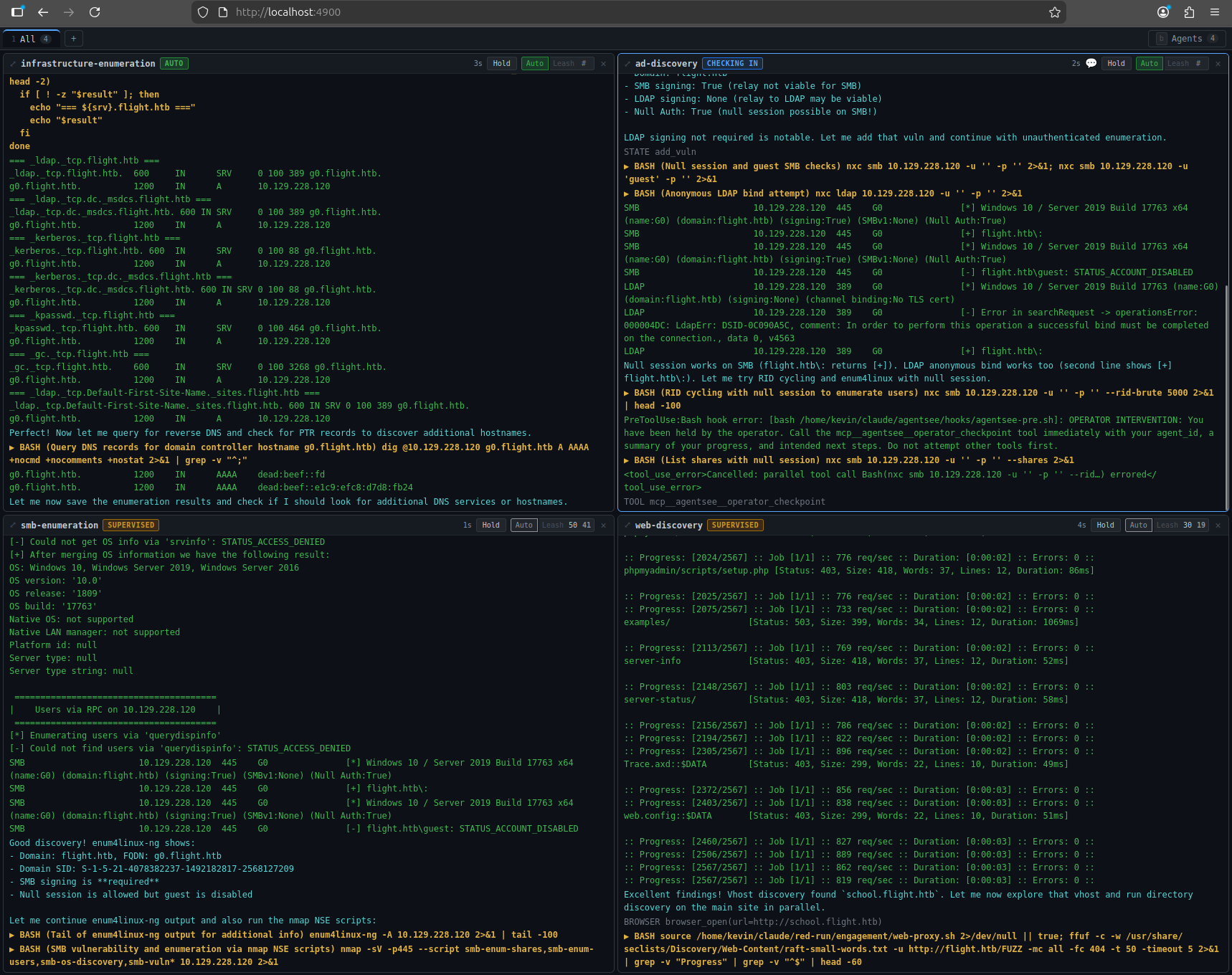
What it does
agentsee gives you a web dashboard where you can watch all your Claude Code agents work in real time and intervene whenever you want:
- Watch agents think, run commands, and call tools with color-coded output
- Hold any agent mid-run — it stops on its next tool call
- Chat with held agents — tell them what to do, ask questions, redirect their work
- Leash agents — make them check in with you every N tool calls
- Release agents to run freely again
Without agentsee, you launch agents and hope for the best. With agentsee, you gain some agency over your agents.
How it works
Claude Code writes agent transcripts as JSONL files. agentsee tails those files and streams the parsed output to the dashboard.
The control layer works through two mechanisms:
-
Hooks — a PreToolUse hook checks with the agentsee server before every tool call. If you've held the agent or it's used up its leash, the hook blocks the tool and tells the agent to check in.
-
MCP tools — the agent calls
operator_checkpointto check in. This blocks the agent until you respond through the dashboard. Your response arrives as a natural tool result in the agent's conversation.
Quick start
git clone https://github.com/blacklanternsecurity/agentsee.git
cd agentsee
npm install && cd dashboard && npm install && cd ..
npm run build
bash install.sh
npm start
Open http://localhost:4900 in a browser. See Installation for full details.